
Create new hazard report
1.
In home page, click button
2.
In Hazard page, click button  to create new hazard report
to create new hazard report3.
Input all details about hazard, after that you can click Submit.
4.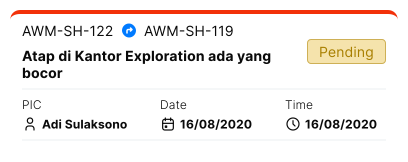
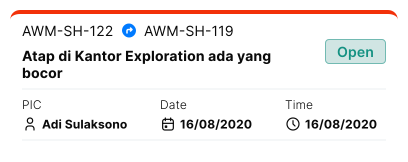
Hazard report will be reviewed first by PIC and the status is Pending. If hazard report request is approved then your hazard report status will changed to Open. Otherwise the status will changed to Rejected.