
Personalized View
1.
Go to Dashboard menu
2.
Click button 
3.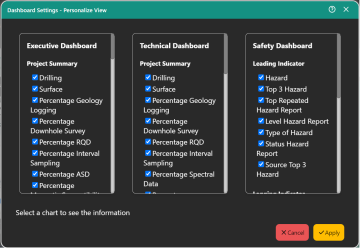
Pop up window will be shown
4.
Select multipe module you want to sho in your Dashboard
5.
Click button Apply
Notes:
Display preferences are saved locally on each user’s device, ensuring customized layouts persist between sessions.