
Update lab feedback
1.
Go to Sample Tracking menu
2.
Select dispatch number you want to update and input to sample dispatch detail patch
3.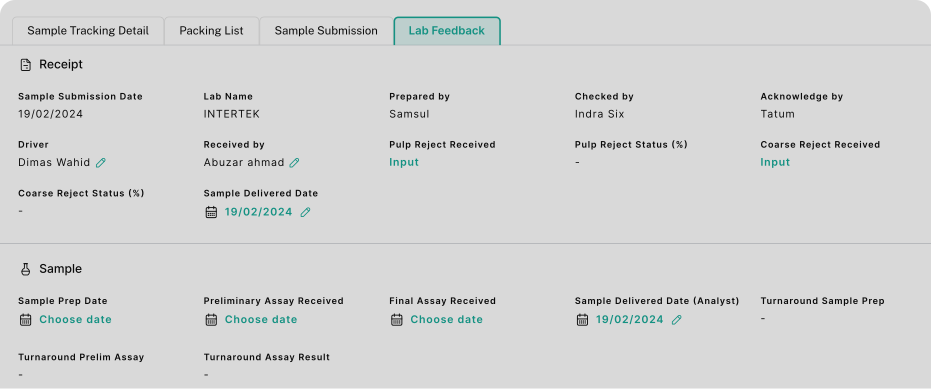
Choose tab Lab Feedback
4.
You can update information in green text
Notes:
Tab lab feedback is used for tracking turnaround date and coarse status. After you get information from laboratory, you can input all update information in this page.