
Add data to surface database laboratory results
1.
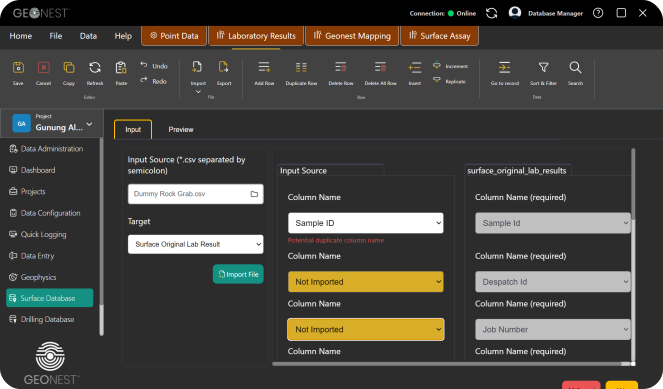
Go to Surface Database
2.
Click button
3.
Click button
4.
Select input source file
5.
Choose target table
6.
Adjust column from input source to surface original lab results
7.
Click button Next to preview data before importing