
Import lab results
1.
Go to Surface Database
2.
Click Button
3.
Select tab Laboratory Result
4.
Click button
5.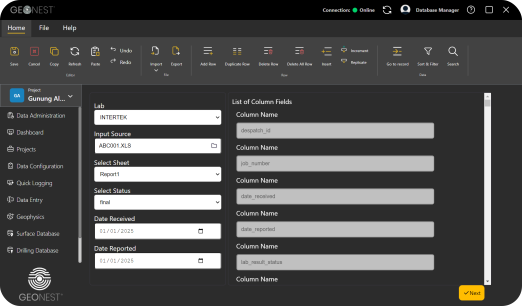
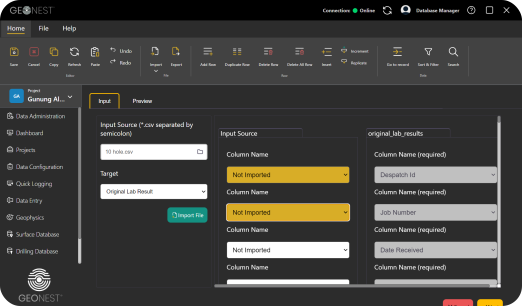
Pop up window will be shown
6.
Adjust column name, then click button Submit
Notes:
Data Source and Entry
-
Lab Results
Analytical values (e.g., Au, Ag, Cu, Zn) are automatically imported from certified laboratory reports. These results ensure accurate and traceable assay data.
-
Point Data Entry
Field users can manually enter or upload sample information (such as coordinates, sample type, or lithology) through the Point Data module. The Surface Assay table will automatically sync and display corresponding records for review or validation.