Home
Products & Service
▾
Geonest Exploration
Database Management
Geonest Drilling
Drilling Operation Monitoring
Geonest Mapping
Mobile Data Acquisition
Geonest EHS (Basic Safety)
Safety Control
See all Geonest Products →
Help
en
▾
Request Demo
Help Cente...
Help Center
/
Geonest Ma...
Geonest Mapping
/
Maps
Maps
/
Change line color dr...
Change line color drawing line
1.
In start page, click collection name to enter
Data collection
2.

Inside Data Collection tab, select
Maps
tab
3.
Select drawing line you have been added to collection. Tap line, you will directed to page
Edit Line
4.
Click button

5.
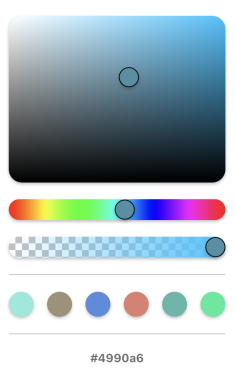
Choose color you want to use, then click
confirm
6.
After finish, click button